● MACOS 14+ · S3 · SFTP · FTPS · FTP
Every remote, one Finder.
tidess is a native macOS file browser for your remote storage. S3 buckets, SFTP servers, FTPS, plain FTP — one Finder-like window for all of them. Browse, transfer, Quick Look, and drag files straight to your desktop.
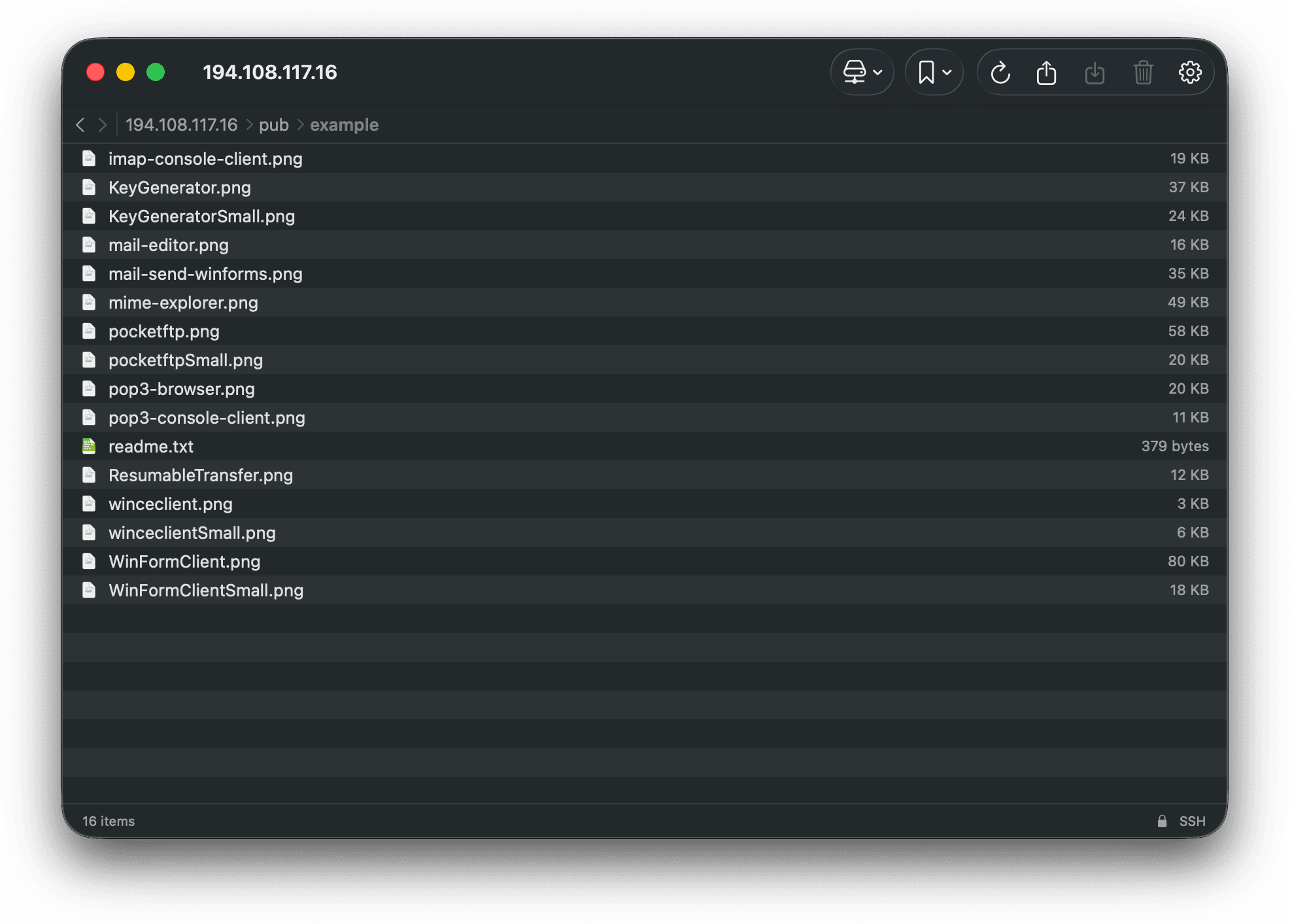
Four protocols. One interface. Zero web views.
S3
HTTPS / TLS
Soto-backed, using the system trust stack. Leave the bucket empty to browse every bucket on the account — regions are resolved and cached automatically.
SFTP
SSH
SSH-backed via Citadel. The server's host key fingerprint is shown after connecting, so you know exactly who you're talking to.
FTPS
FTP / TLS
FTP over TLS through the system's curl/libcurl and trust stack. Same server fields as FTP, encrypted transport.
FTP
PLAINTEXT
Supported for the servers that still need it — and honestly labeled. tidess marks plain FTP as Not Secure right in the status bar.
Small app. Sharp edges. Everything a remote needs.
Feels like Finder
A real NSTableView with alternating rows, multi-select, and drag-out of files and folders straight to Finder. Breadcrumbs, back/forward, refresh — navigation the way macOS does it.
Quick Look, remotely
Tap space on any remote file and preview it instantly, just like local files. Temporary preview files are cleaned up the moment the panel closes.
Transfer with progress
Upload local files into any remote folder, download files or whole folders with progress UI, and delete with configurable confirmation prompts.
As many windows as you need
Open multiple browser windows from the File menu, ⌘N, or the Dock — different servers, different folders, side by side.
Bookmarks & copy anything
Bookmark folders or items and jump back later. Copy backend-specific locations — s3:// links, paths, URLs — from the context menu.
Profiles that switch
Store any number of connection profiles — work S3, client SFTP, that one legacy FTP box — and swap the active one in Settings.
Keychain, not plaintext.
Credentials and license keys live in the macOS Keychain — never in config files, never on disk in plaintext. tidess runs fully sandboxed and connects directly to your servers; there is no middleman.
- ▸Credentials & license stored only in the Keychain
- ▸Sandboxed: network + user-selected files, nothing more
- ▸Direct connections — your data never routes through us
- ▸Clickable security status: TLS & SSH details per connection
CONNECTION SECURITY
s3://acme-prod ● TLS — system trust
sftp://prod.acme.io ● SSH — ED25519 fingerprint
ftps://legacy.acme.io ● TLS via libcurl
ftp://ancient.box ● NOT SECURE
// one click in the status bar
// shows the full details.
- ▸12 months of use & updates
- ▸Key on screen & in your inbox instantly
- ▸Activate in-app on first launch
- ▸Expires — never auto-charges
- ▸Yours forever, no subscription
- ▸Key on screen & in your inbox instantly
- ▸Activate in-app on first launch
- ▸All updates included